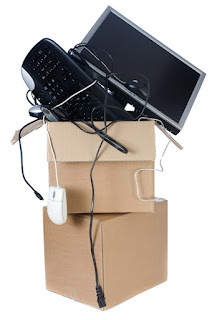
Top Tips for Slow Computers


Top Tips for Slow Computers

1.                   Continuous running without a reboot

Shut down and restart your computer. Fixes low level errors and clears memory and when it starts again, it will start from a clean state.

2.                   Short of Hard drive space

Hard drives are becoming larger but so are files and software, freeing up hard drive space will help your computer perform better. Delete temporary files and other unimportant data for your hard drive using a variety of cleaning tools on your PC or laptop or from proprietary suppliers.

3.                   Hard drive corrupted or fragmented

A fragmented hard drive can slow your machine or lead to instances of file corruption or . Inappropriate system shutdowns can also corrupt data. Check your hard drive for errors and defrag the system to clean up your hard drive using a ScanDisk and or Defrag utility.

4.                   Too much going on?

Running many programs at the same time will use valuable resources. Shut down unnecessary programs to concentrate on the items you really need. Avoid lots of programs started on startup by customising your startup menu

5.                   Malware or Virus infections

Did you seen any strange problems occur? If so, your PC might be infected with a virus, spyware, or other malware. This can happen even if you are using up to date antivirus program installed. You might try downloading a Malware scanner to check if you have been affected.


 For more information or help with your PC, Laptop or MAC contact us at http://cloudscape.it/it-support/

5 Tips For Cloud Computing

Some of the key factors when choosing to move to the Cloud

http://cloudscape.it/cloud/


1.   Embrace the Cloud.

We mostly all worry about new technology. Cloud technology is evolving very quickly and offers many advantages over local computing and storage. Cloud computing is safe, convenient and cost effective. Adopting cloud services will lead greater efficiency and security.


2.   Start out by choosing a good Cloud Service Provider.

This might seem a no-brainer but if you are going to put your trust in a Cloud Service make sure you trust them. Find a reliable supplier with good contact. Whether you decide to choose  public cloud, private cloud, or even hybrid cloud - start with a great supplier and have them help you pick out the best services for you


3.   Check out the Tech support.

Good technical support is one of the most important factors in cloud hosting. If need help, you want to be sure you can get it in a hurry. Make sure you know what your cloud service supplier offers in terms of support and compare this to what's on offer from others.


4.   If in doubt ask for help.

Talk to your cloud supplier. Choosing the kind of cloud service depends largely on your budget. For small businesses it's also helpful to work with cloud service providers that can offer you security and network management. Be sure you have good access to your provider to talk through the options before you commit to a service plan.


5.   Remember to make backups.

Cloud Computing is safe and secure, probably more secure than you local storage.
Storage and back up is automated so you never have to worry  saving and backing up.
 However, having a further back up copy of essential data is just one more insurance that you have  a safe copy and that you have a form of control over your companies data.


We’re able to advise on the best ‘cloud solution’ to fit your business. We have great experience in migrating systems onto our cloud services, ensuring your move to the cloud will be seamless.
Call us for a FREE  Cloud Services  audit – worth £300  – 0844 770 0199


Top 10 MacBook tips


10 tips for new and prospective MacBook owners [Video]

 Tips and Tricks for MacBook owners
 See the full article here

 If you need help with any of your MAc Products you can always rely on Cloudscape.it  

Hybrid Cloud Systems

What is Hybrid Cloud?

http://cloudscape.it/cloud/hybrid-cloud/


Hybrid cloud is a cloud computing system which uses a blend of in-house, privatecloud and third-party, public cloud services with management between the two platforms.

Cloud systems are becoming increasingly important not only from the point of view of the economic benefits but, crucially, with regard to the  greater security offered by these systems.
However, not all businesses want to jump into cloud systems feet first. For many companies it’s not suitable for their type of business or they may have perfectly functional infrastructure in place already.
Cloudscape offer a Hybrid Cloud system that is easy to integrate into existing infrastructure and is particularly suited for businesses that would typically work with large file sizes that must be retrieved locally for speed of access.
Cloudscape’s Hybrid Cloud system allows business data to be synchronised in real-time with the cloud. Cloudscape offer a Hybrid Cloud system that is ideally suited for businesses in the creative & design sectors that would typically be dealing with large file sizes. 

Advantages of Hybrid Cloud Systems include:

  • Access and share files offline or online from any location and with any device
  • Easily synchronise files between offices in real time
  • Securely backup files in the hybrid cloud
  • Store data and administer centrally for visibility, control and security
  • Reliability  - Eliminate File Servers and unreliable remote connections to the office
  • Scalability -Easily expand capacity – offers flexibility in operating your business
Call us for a FREE  Cloud Services  audit – worth £300  – 0844 770 0199

IT Support London - IT Support Services London

It Support Services


Cloudscape IT is an IT Support Company based in Central London providing IT support for London and Home counties. 

IT Support London - IT Support Services London

Cloudscape offers complete and reliable IT services to ensure your technology performs well and keeps your business running. PCs, Macs, servers, networks or cloud systems; we are the experts. We’ll help you navigate the complexities of computer jargon and keep your equipment trouble free. We will even advise you when it’s time to update your systems to maintain efficiency, and offer expert advice on new technology.
Our IT Services include:


IT Services

IT Services London to get you up and running

IT ServicesIT Services London - London IT Support

We offer specialist IT services, office relocation and project management services. We have over 30 years of combined experience in the London IT services business. Our IT Services team are highly qualified in Microsoft, Apple and Cloud technologies.
We also provide advanced remote IT support to any computer in your network. Our remote service allows you to get on with your business with the minimum of disturbance or downtime.
We offer:

Office IT Moves

IT Project Management

VoIP Telephones and Telecom systems

 
Read more ....IT Services

IT relocation

Office IT relocation can be an extremely demanding.  We can take the stress and strain out of this by providing a complete IT relocation and Telecoms relocation service.

Office IT relocation services for London

For many businesses the thought of IT relocation is a daunting task. Added to which, moving  IT and telephony systems is complicated and disruptive.
Project management of office relocations and installations is a special talent.
Office relocation can be challenging and costly even If you’ve done it before. At Cloudscape we have a dedicated IT project management team who have overseen hundreds of office moves and IT projects.

http://cloudscape.it/it-services/office-relocation/


Our IT Office Relocation services :

  • A thorough pre-move consultation
  • A dedicated IT relocation manager
  • Site survey to specify the location of all hardware and desk points
  • Computer and Server relocation
  • Migration of phone lines and internet
  • Full backup and security
  • Step by step update on status and progress
Read more ....office it relocation